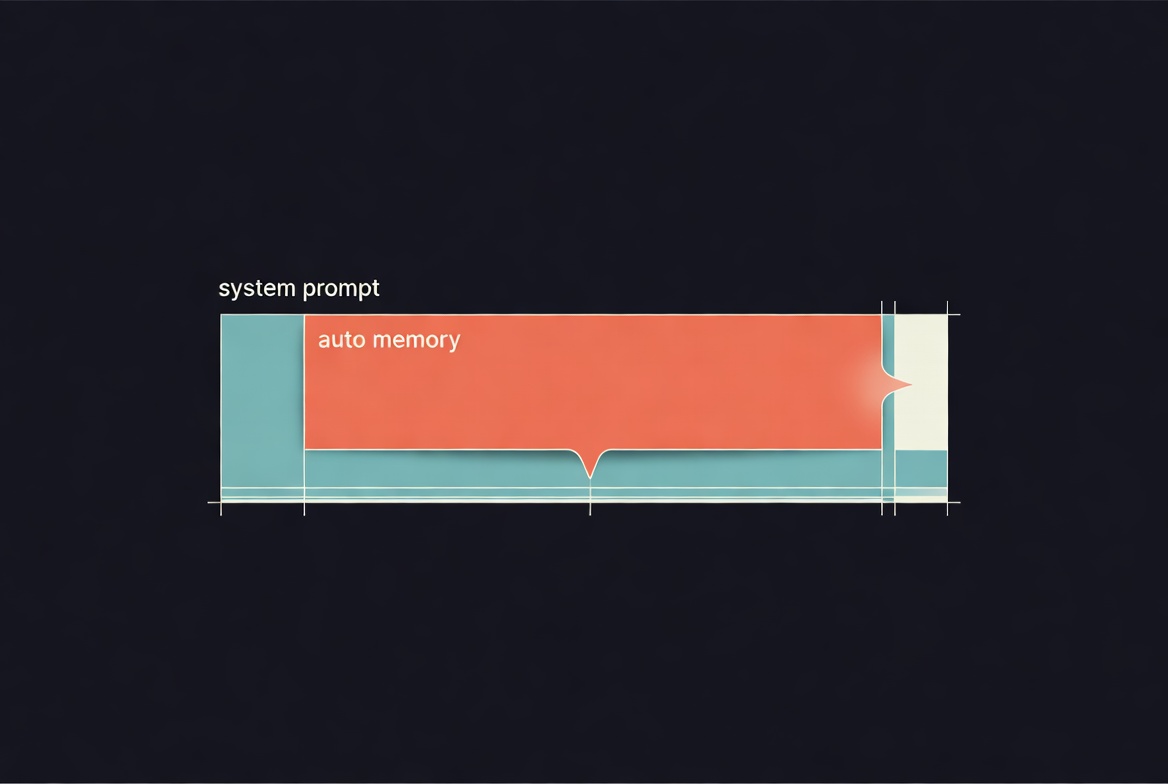
TL;DR: Claude Code ships an auto-memory feature on by default. It eats roughly 47% of every system prompt. One environment variable turns it off, and behavior improves immediately. The story below is what I saw and how I found the switch.
Claude Code was acting off this week. Saving memories I didn't ask it to save. Taking verbose detours on simple tasks. Once, it edited a file without reading it first and guessed wrong about the contents.
None of that was catastrophic. It was just friction. The kind that makes you wonder if the model got worse, or if you got dumber, or both.
The fix turned out to be one environment variable I had never heard of. Finding it took an hour.
Step One: Turn On --verbose
When Claude Code feels off, the first thing to do is turn --verbose on.
--verbose is not a clean replacement for the old default view, which used to truncate tool output into a readable summary. --verbose shows the full output of every tool call, which on a long file read or search is a lot of scrolling. It is noisier than what used to be there by default.
But it beats the current quiet mode, where tool activity is mostly invisible. With the quiet mode you notice symptoms. With --verbose you at least see causes.
In my case, it showed the model saving memories mid-task that had nothing to do with what I said. It showed a file edit fire before the file had been read. It showed the same data being refetched across three turns.
That is enough to know something is wrong. The next question is why.
Step Two: Look At the System Prompt
I have a side project called Langley that proxies Claude Code traffic into SQLite for analysis. Handy when you want to see what the client is actually sending.
I captured a fresh flow and exported the system prompt. On Claude Code 2.1.114 the prompt was 26,732 characters across four blocks. Block 3 alone was 17 kilobytes.
Most of block 3 was a single section titled auto memory. 12,540 characters of instructions about what Claude should save, when to save it, what not to save, how to structure memories, and how to retrieve them. That is nearly half of every request's system prompt. The actual figure is 46.9%! I had to re-count to believe it.
That lined up with the symptoms. A model reading 12.5 KB of "save this, do not save that, structure memories this way" on every turn will act like a model thinking about memory a lot. Including when nobody asked it to.
The Rabbit Hole I Didn't Need
Here is the part I am least proud of.
I asked Claude how to turn the feature off. The same Claude that was running inside the CLI I was trying to fix. It suggested hooks, filesystem tricks, and a full CLI downgrade. I ran the downgrade. Installed Claude Code 2.1.58 from before the auto-memory work had grown. Captured its system prompt. Compared the two.
2.1.58 had an auto-memory section too. It was 1,759 characters. A brief mention, not a manual.
So I had a clean before/after: the feature grew seven times in size between 2.1.58 and 2.1.114. An old feature that quietly swelled until it dominated the prompt.
I started drafting a post about this. Then, as a last-minute sanity check, I decided to actually fetch the docs page for the feature before publishing.
The opt-out was right there.
Auto memory is on by default. To toggle it, open
/memoryin a session and use the auto memory toggle, or setautoMemoryEnabledin your project settings. To disable auto memory via environment variable, setCLAUDE_CODE_DISABLE_AUTO_MEMORY=1.
Three documented ways to turn it off. I had spent an hour downgrading a CLI for a setting I could have flipped with one line.
The Actual Fix
Pick one.
Environment variable, shell-wide:
export CLAUDE_CODE_DISABLE_AUTO_MEMORY=1Per-user settings file at ~/.claude/settings.json:
{ "autoMemoryEnabled": false }Inside a running session:
/memoryAny of the three drops the entire auto-memory block out of your system prompt on the next turn. I verified this by re-capturing the prompt with the env var set on 2.1.114. The 12,540-character section was gone. No "feature disabled" stub, no placeholder. Clean delete.
Total system prompt went from 26,732 characters to 15,204. A 43% reduction from flipping one variable.
The model immediately started behaving more like I remembered. Read before edit. No unrequested memory saves. Short, direct responses to small tasks.
I think this feature should default to off. If it ships on by default, it should at least be marked experimental or beta so users know what they are opting into.
In my experience, leaving it on degrades Claude Code performance massively. I have watched every memory save it has attempted across my sessions.
Not one of them has been accurate. Not sometimes wrong. Zero for the entire run.
The fix is one environment variable. The default is a decision that affects every user who does not know to look.
Act Before Read
The thing that actually cost me an hour was not the feature. It was the model's confident suggestions for how to work around it.
Claude Code runs inside a session that has web fetch. When I asked about the auto-memory behavior, the correct first move was trivial: fetch the docs page for the feature and read the opt-out section. Instead, the model proposed environment-variable tricks, Claude Code hooks, and a full CLI downgrade. It only checked the docs after I pushed back.
I have seen this pattern in this model outside the memory context too. Act before read. Propose before verify. Guess before fetch, even when a three-second docs lookup would have the answer.
LLMs act on what is most salient in their context. When 47% of the system prompt is detailed instructions for one feature, that is what the model is most prepared to think about. Tasks like reading the file before editing get squeezed out by the gravity of what is loud in the prompt. Auto-memory bloat probably amplifies the act-before-read tendency for this reason. But the tendency is there with or without it, and it is worth naming on its own.
What I Do Now
--verbose on by default. My terminal is a wall of tool calls. That is fine. I would rather see the work than have the CLI be quiet.
CLAUDE_CODE_DISABLE_AUTO_MEMORY=1 in my environment. I have an MCP memory server I actually use. The automatic version is a layer I did not ask for.
When Claude hands you a wonky solution, push back. That hour of downgrading started because I took the first suggestion seriously instead of pressure-testing it. When the model recommends a workaround for a feature, my first move now is to check the feature's docs page myself. The model will fetch it if I ask. It does not always fetch it on its own.
On one machine I also keep a short "planning first" rule in my user-level ~/.claude/CLAUDE.md: do not start implementing until planning is complete and open questions are resolved, with a few do's and don'ts attached. My work starts from a ticket so this fits the flow. It does not fully fix the act-before-read tendency. It noticeably reduces it.
If Claude Code has felt a bit off for you lately, that is where I would start.
I am researching prompt injection at Parapet, an open-source LLM security proxy, and Langley, the traffic-capture tool I used for this post. More experiments here as they happen.